Situation Analyzer feature enhancement by leveraging GenAI
Enhancing a complex workflow by unleashing GenAI power
01
User Goal
Reduce investigation time and complexity for operation analysts analyzing situations in CMDB
02
Business Goal
Enhance CMDB into a reliable, AI-enabled tool that streamlines risk mitigation and resolution.
03
Challenge
A complex legacy platform with deeply embedded data models and baked in user experience with many constraints.
04
My Role
Sole designer, End-to-end journey mapping, UX & interaction design
05
Team
3 teams: UX Design, Product, Data Science, and Engineering
06
Lesson
Some legacy features are hard to change but AI could be leveraged in these cases as a way to enhance usability and user satisfaction.
Results & impact
4x Less
Time on task for situation analysis
20+ Fewer
Clicks to investigate & tool switching
2x More
Adoption for tier 1 customers
My design contribution to this project:
Phase 1
-
AI insight panel
-
Direct approval on AI insight panel
-
Dashboard interaction for insight panel
Phase 2
-
Conversational AI investigation
-
Conversational approval

How might we simplify a complex workflow in a legacy configuration management platform by leveraging AI?
User journey mapped to better understand the workflow and issues

Interaction - AI Insight Panel
Need: Prioritized list of insights for quick action
Users expect to quickly make a decision and act on higher priority tasks with critical situations.
Action
List of tasks identified by AI from high priority to low with recommendations and quick actions.
Impact
Significantly saved time, reduced alert fatigue, and gave teams confidence that they’re focusing on the right priorities.

Design Iterations - Dashboard
I investigated a few dashboard layout and ran them by our customers to decide on the best option.
Option 2
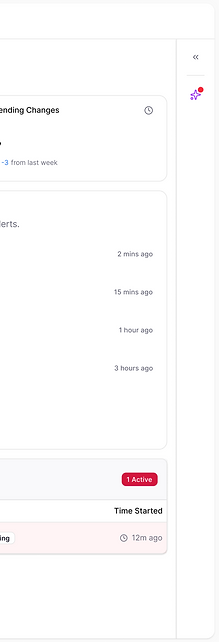
Static panel on dashboard - Usability testing revealed customers are leaning toward this option but some further changes needed.


Option 1
Slide-in panel upon clicking on AI insights button on top right corner

Option 2-1
Users need a way to expand and collapse the panel so I changed the interaction to accommodate the need.

Interaction - Dashboard Panel
Need: Easy way to access AI insights on dashboard
Users expect to instantly understand what's changing, what's risky, and what needs attention instead of combing through logs or CI tables.
Action
AI-driven overviews such as “Top risk-prone services,” “Recent config drifts,” or “Potential CI data anomalies,” translating raw data into decisions and priorities in a stacked card format.
Impact
Significantly saved time, reduced alert fatigue, and gave teams confidence that they’re focusing on the right priorities.

Design Iterations
The Cards layout went through many iterations before we had a final design candidate.
Final Design
Further enhanced visuals for faster scanability

Iteration 3
Usability testing revealed the need for AI-enabled actions for high risk tasks, so I designed a way for user to approve GenAI recommendation directly from the card.

Iteration 2
Static cards - prominent risk priority visuals

Iteration 1
Static insight cards - continuation of AI insight design pattern in ITSM

Phase 1: AI Insight & Approval
Process
The team initially had the idea to introduce an AI insight panel similar to what I designed for another product. Due to the tight deadline and other constraints we decided to contextualize that AI panel in CMDB dashboard, test with users and iterate based on the feedback.
Interaction -Conversational Analyzer
Need: View details of GenAI insight and approve
Users need to see the full AI insight before making a decision
Action
Introduced 'Investigate' CTA on AI insight card to launch a conversational situation analyzer. Added detailed AI-driven data from sources to enable quicker decision making.
Impact
This up-leveled the value of AI-enabled insight with gauging more interest in the feature and higher interest in clicking through the flow.

Final Design
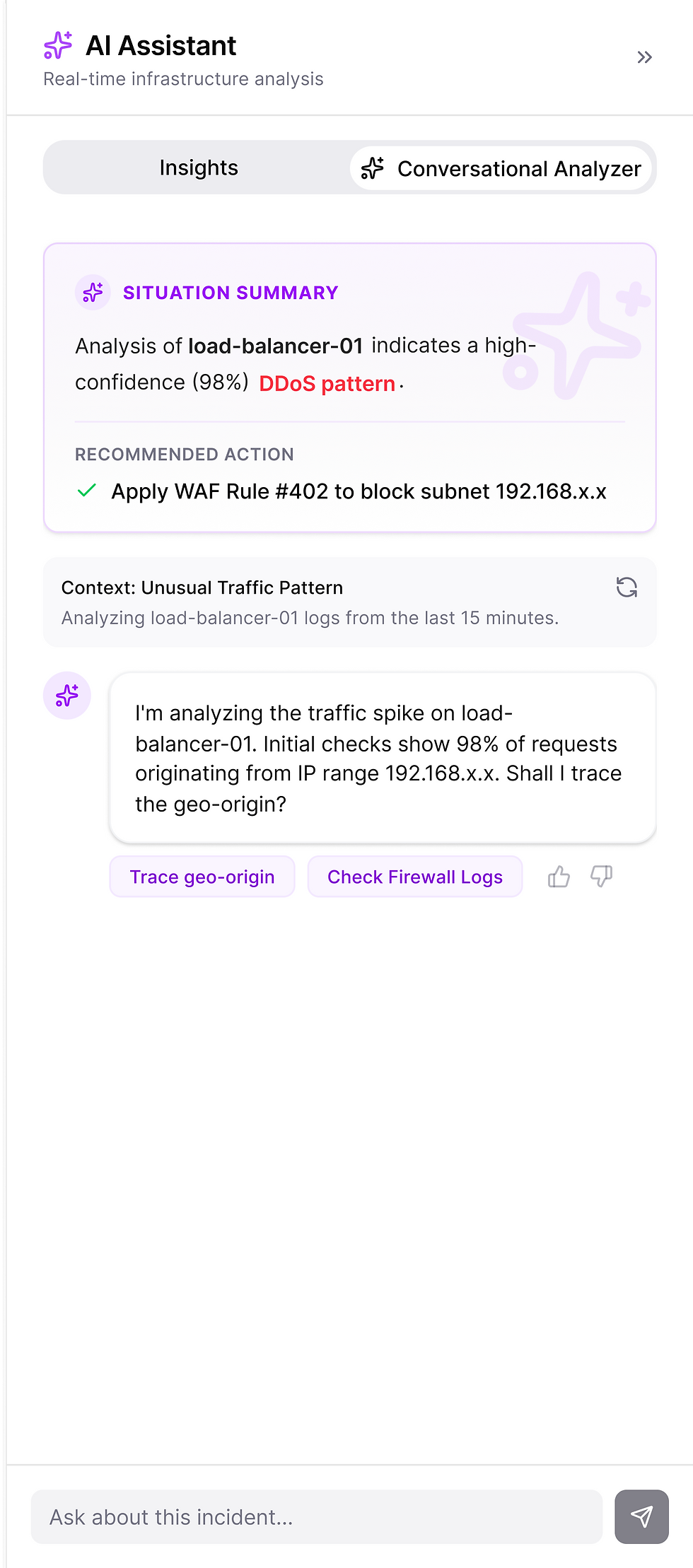
Human-in-the-loop approval and deep investigation through GenAI chat
Iteration 3 - Enhancing visuals
Human-in-the-loop approval and deep investigation through GenAI chat
Iteration 2
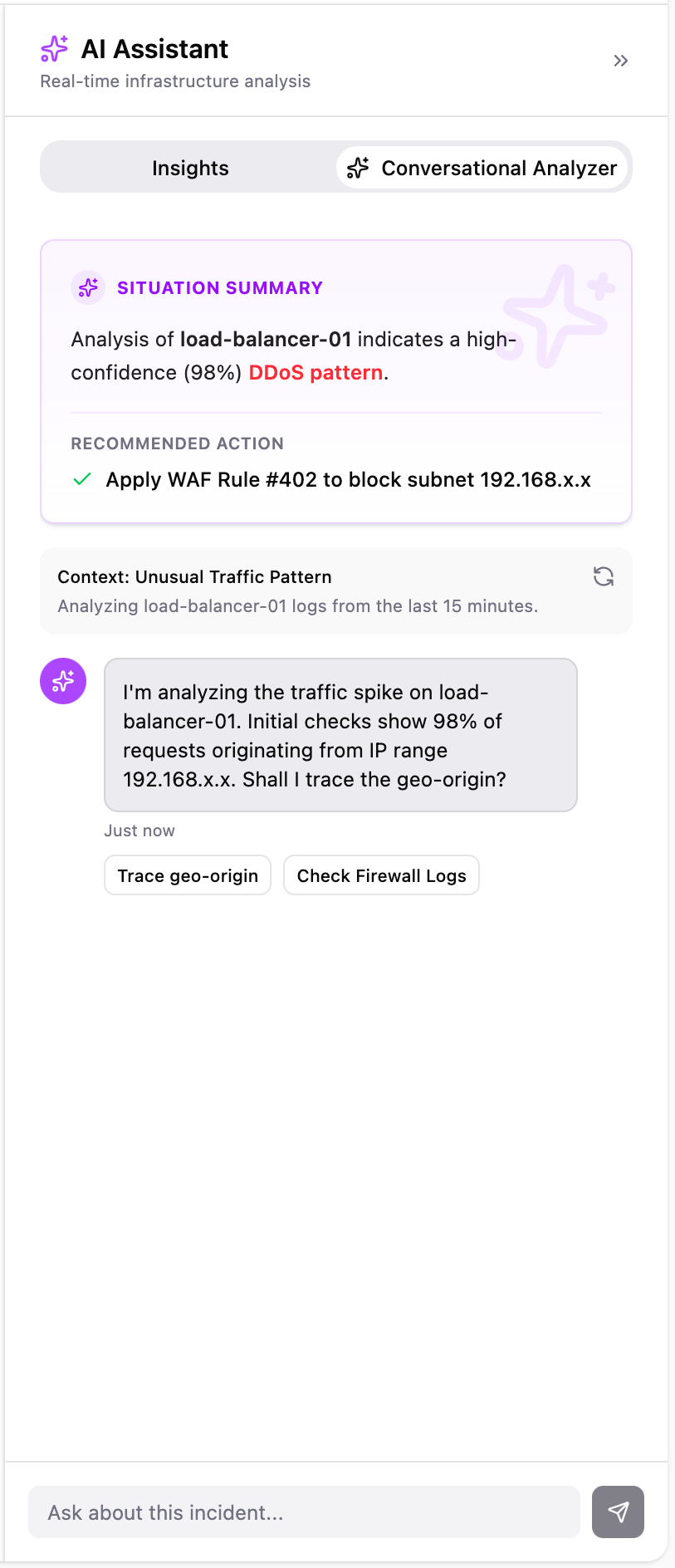
GenAI provides a more detailed summary of the case

Iteration 1
Approve on the insight panel without needing further investigation (covered in previous phase)

Phase 2: Conversational Investigation & Approval
Process
When I mapped how Configuration Manager investigate data accuracy and health of CMDB data, I noticed a frequent jumping between dependency maps, change logs, and monitoring tools to identify issues and piece together root causes. Main friction points identified as: fragmented context, redundant searches, and delayed correlation.
The design process focused on turning this fragmented analysis into a guided, conversational experience. I partnered with data scientists and service owners to define the core insight types and translated them into natural language summaries and visual cues.
Final Design
-
User gets a summary of the dashboard's insights on the side panel with the option to approve the AI's suggestion for resolving high risk tasks.
-
If needs more info, clicks on 'Investigate' before approving to get more details from GenAI.
-
For a deeper dive into more details, user starts a conversation with AI to investigate the situation and can approve through conversation.

AI is a quick game changer for legacy systems
When user experience is deeply embedded and hard to change, AI can act as a transformative layer that elevates the workflow without rewriting the system.
Balancing automation with human oversight
Provide a variety of AI enabled options to cover all situations and levels of trust.